Pocket PC Mods

Read more about the article Facebook 5.0 for Windows Phone 8 Released
Facebook 5.0 for Windows Phone 8

Facebook 5.0 for Windows Phone 8 Released

Facebook 5.0 for Windows Phone 8 Released
Facebook 5.0 for Windows Phone 8


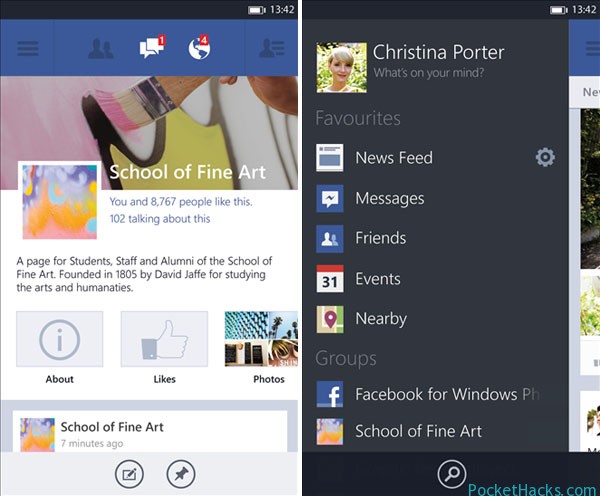
The official Facebook app for Windows Phone 8 gets a major update, the new version is out of beta testing and is now available for free download from the Windows Phone Marketplace.

Facebook 5.0 for Windows Phone 8 features a completely new user interface with optimized navigation, support of high resolution photos, detailed news feed, built-in chat and more. Anyway, the beta version of the app is still available for download if you’re curious about what Microsoft will bring with the next version of its Facebook app.


(more…)

0 Comments

Working USB host for HTC HD2 with WM6.5

htc-hd2-usb-host

Here comes another great project from DFT and Cotulla – working USB host for HTC HD2!

This app contains drivers designed to allow you to connect different USB devices to HTC LEO (HTC HD2). Those drivers are designed for Windows Mobile 6.5 and they were successfully tested on 3.14 ROM (test it on your ROM).

Installation:

  1. Install CotullaCert.cab
  2. Install DFT_LEO_USBH_WM65.CAB
  3. Reset your device

How-to use it:

  1. Start USBH Switch from the Programs menu
  2. Press “Switch to Host” button
  3. Connect a host device
  4. After some time it should be detected
  5. You can try to use it now
  6. After usage you need to reset your phone to go back to the USB client mode

For using the USB host ability you will need a special cable or self-powered USB hub. More information can be found here

(more…)

0 Comments

How-to fix bubbles, dirt or fingerprints behind your screen protector

For all the people that have bubbles, lint, dirt or fingerprints behind their phones screen protector from a fumble or rushed, botched install – here is the guide:

It is a little known fact that “most” of the screen protectors are completely washable. The “sticky” side wont wash off or smear or in any way ruin.

How-to:

1. Peel it off.
2. Run under water and use your hand to remove lint, dirt specs, smudges ect.
3. Hold by the corner tightly (little as possible) with an absorbant towel and shake vigorously in front of a fan or air purifier (better) until completly dry.
NOTE. Slowly air drying will leave water spots from impurities in the water. Purified water may solve this problem.
4. Clean the screen.
5. Reapply the protector, but carefully this time.
6. Repeat if necessary for perfect clean lay.

(more…)

0 Comments

Replacing the HTC HD7 SD card for more storage

You can safely replace the internal microSD card in the HD7 to increase storage space (up to 32GB cards) and maybe even performance.

Warning: This mod will void your HTC HD7 warranty!

What you need:

  • One or two plastic opening tools, you can use this.
  • A T5 Torx screwdriver

One of the following microSD cards:

  • Sandisk Class 4 8GB microSD – SDSDQ-008G-J35A (used in 8GB version)
  • Sandisk Class 4 16GB microSD – SDSDQ-016G-J35A (used in 16GB version, tested)
  • Sandisk Class 2 32GB microSD – SDSDQM-032G-B35 (tested)

First you need to disconnect all cables and turn off your phone by pressing and holding the power button, now remove the top back cover, the battery and your SIM card. The red dots on the bottom back panel with the metal strip indicate two hinges which face towards the bottom of the phone. You need to use the plastic opening tools in the green marked areas in the image linked above and thrust the bottom cover towards the battery area to remove it without damaging it. Now if that’s done, get your screwdriver ready and unscrew all the screws marked with the yellow/green circles. One of them has a tiny warranty sticker on it. If you removed all the screws and put them in a safe place, lift up the cover, you can do that using the kickstand, don’t worry, even though you removed two screws there, it’s not loose.

(more…)
0 Comments