Read more about the article TopoResize Tool – Resize Your Android data.img File (ext2, ext3 and ext4)
TopoResize Tool

TopoResize Tool – Resize Your Android data.img File (ext2, ext3 and ext4)

TopoResize Tool - Resize Your Android data.img File (ext2, ext3 and ext4)
TopoResize Tool

Resize or create your own data.img file for any Android SD build without Linux/Unix distro or command prompt editor, with TopoResize (toporesize-0.7.1.zip) you can do that straight from your Windows PC! With this tool you can create a brand new data.img or add/subtract space from an existing data.img – ext2, ext3 and ext4 file systems are supported.

For example:

You can take a 256MB data.ext4 and make it convert to a 2GB data.ext4 , maximum space possible shown is based on the HDD or SD space left. So you could create a 100GB data.img if the drive had 100GB free space, TopoResize is completely safe to use and won’t do anything to damage an existing data.img file.


(more…)

1 Comment
Read more about the article Windows Phone 7 Easy Backup Tool
Windows Phone Easy Backup Tool

Windows Phone 7 Easy Backup Tool

Windows Phone Easy Backup Tool
Windows Phone 7 Easy Backup Tool


The WP7 Easy Backup Tool allows Windows Phone users to create and restore a backup on the easy way and without any hacking skills. The tools wraps the Windows Phone Support Tools to create or restore updates, that means backups and they are 100% compatible with Zune.

Successful tested on:

  • HTC HD7 (original HTC ROM)
  • HTC HD2 (Back to the Future ROM, xmb Rom 7740.16)
  • HTC 7 Mozart
  • HTC Arrive
  • HTC Titan
  • Samsung i917
  • Dell Venue Pro
  • Samsung Omnia 7 (I8700)
  • Nokia Lumia 800
  • Samsung Focus S

This tool requires .NET 3.5, Zune 4.8.2345.0 and Windows Phone Support Tools installed on your computer!

Note: WP7 Easy Backup Tool is still in development (beta), but there is already a stable version for everyday use.
(more…)

1 Comment
Read more about the article Orientation lock app for Windows Phone 7
Orientation Lock for Windows Phone 7

Orientation lock app for Windows Phone 7

Orientation Lock app for Windows Phone 7
Orientation Lock for Windows Phone 7


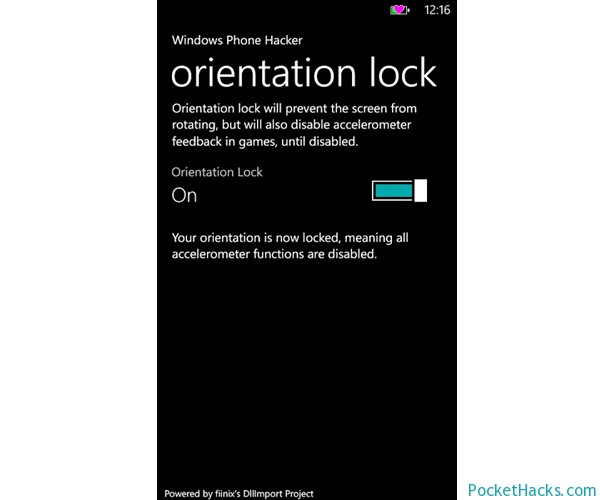
Here is the first orientation lock application for Windows Phone 7! Basically, it locks your device screen orientation (do you remember – this function was built-in on your old Windows Mobile phone :)) by setting the accelerometer to power state D4, then back to D0 to revive it.
This project is created using DllImport:

DllImportCaller.lib.StringIntIntCall(“coredll”, “SetDevicePower”, “ACC1:”, 1, (int)Phone.Network.WiFi.PowerState.D0);

The app is very simple and easy to use, it’s already tested on some devices like HTC HD7, Nokia Lumia 800, Samsung Focus and Omnia 7. Also, we tested it and it works perfect on the HTC HD2 with various Windows Phone 7.5 ROM’s.

Anyway, some  HTC devices detects the accelerometer sensor as active, even when it isn’t, to fix this you need to toggling the button back and forth to get it working.


(more…)
0 Comments