How to make a free capacitive stylus for your Windows Mobile phone
Here is the video from pocketnow.com that show you how to create a free capacitive touch screen stylus (for HTC HD2 or another mobile device) out of a common piece…
So here’s the story on multitasking in Windows Phone 7. According to the director of Windows Phone:
The core operating system is a modern multitasking operating system. If you play music for example, the music will play back as you navigate around the experience…if you’re using email, we have great support for push email and that happens in the background.
For third party applications—we’ll get into a lot more detail on this in MIX—but we have a few ways we’re going to make sure that third parties can bring their value to the user even when the app is not running. Live tiles are an example. Data feeds in the hubs are another example for some apps.
(more…)
The default keyboard of Windows Mobile has gone mostly unchanged for about ten years, so it's nice to see Microsoft innovative a little bit on Windows Mobile 7. To start,…

It’s a little tool that shows a customizeable launch pad when you hit the taskbar. If you don’t like this launch pad you can also launch something else instead. You can also say to launch nothing at all, this also disables HTC Notification, Samsung notification if you’re on OMNIA, or the annoying taskbar from newer 6.5.x builds.
Installation
Run the CAB file on your phone. All files are copied into program files directory. There’s also a shortcut installed in \Windows\Startup to automatically launch it after reboot. After installation the Taskbar Launcher is not yet running. Sorry this is only first – no second – beta. So go into the program directory and launch tbl.exe or if you’re too lazy just soft reset.
Usage
Hit the taskbar and then the icon of the program you want to launch. Hit the taskbar again or tap anywhere out of the launcher window to close it. You can also tap and hold anywhere in the window and a little popup menu appears. Here you can stop Taskbar launcher. With a gesture the screen can be rotated. Slide from left to right to rotate counter-wise, slide from right to left to rotate in the other direction. Of course this works also when the launcher popup is still hidden.
(more…)
Easiest unlock ever for Samsung i780 and Samsung i900 Omnia.
1) Download this archive
2) copy all three .lnk files to your PPC
3) run Lock.lnk
4) enter valid MCC/MNC of any carrier (You can use “real” SIMLock carrier ID, list: http://en.wikipedia.org/wiki/Mobile_Network_Code ; eg. 26001 for Poland, Plus)
5) As NCK, enter 12345678
6) tap OK (it should tell that SIMLock enabled)
7) run Status.lnk to see if its locked
8) run Unlock.lnk
9) enter code entered in point 5 (12345678)
Alternative method, works on Samsung i780, no copying of anything required: (more…)
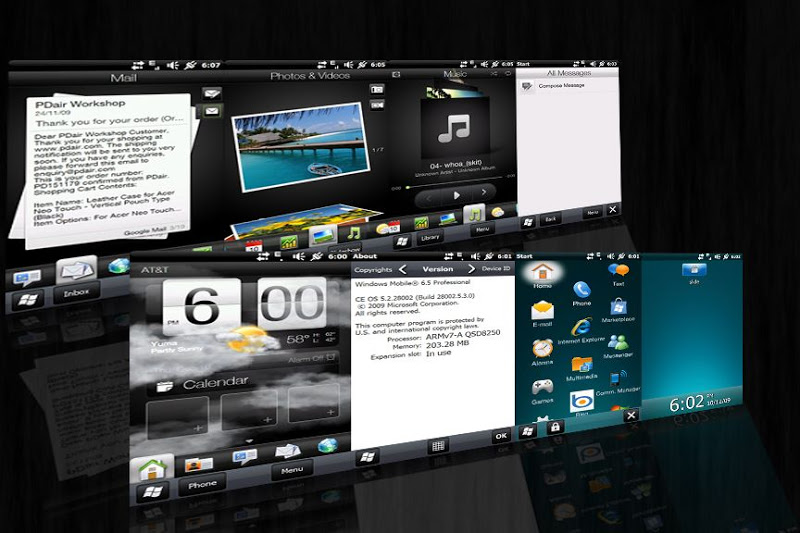
Windows Mobile 6.5.3 Build 28002 custom ROM for ACER F1 S200: Flashing instructions: 1.Download the rom 2.Open it using winrar or 7zip 3.Extract the files to a new folder 4.Look…
RC Camera v2.1 (Windows Mobile app) for IP-cameras (AXIS, TRENDnet, Panasonic, Ipux, D-Link etc.) Application uses a jpeg-mode of a camera (to reduce the traffic). The communication with the camera…
ScreenSaver is a simple application that runs in the background. When the device is plugged in (ActiveSync or mains) it pops to the foreground and displays the time (more to…