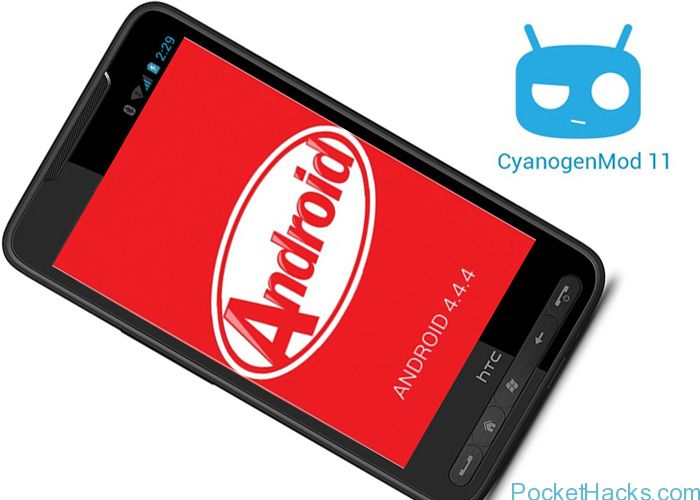
Great news to all HTC HD2 users, again and again, the latest Android releases are ported to this beloved device! Here's a brand new Android 4.4.4 KitKat ROM…
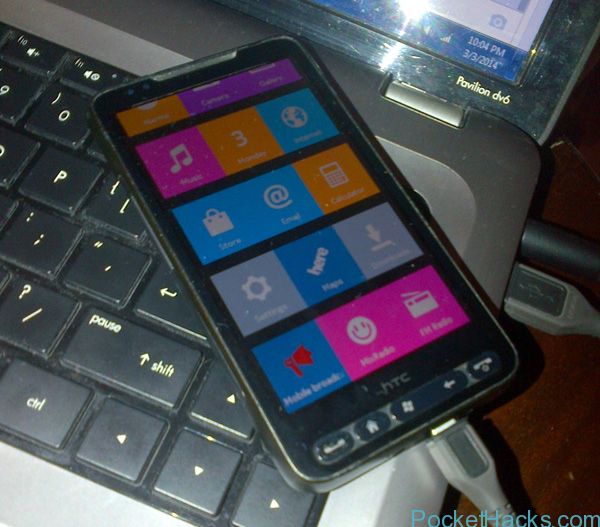
Nokia X is one of the latest Nokia devices that features a Dual-SIM support and a very very strange user interface running on Android 4.1.2 Jelly Bean. If you take…
HTC HD2 never dies, here's the latest PixelDroid AOKP NAND ROM - Android 4.4.2 KitKat. The ROM is fast and stable, it's currently in beta version (version 1.0) and the…
HTC HD2 is truly the most supported smartphone ever, the new stuff is keep going and here's one of the latest Android 4.3.1 custom ROMs for the "King". Thanks to…
Here is the latest version of the most-popular Windows Phone 7.8 custom ROM for HTC HD2 – Pdaimatejam ROM v8.9 (OS 7.10.8862.144). It’s fully unlocked with XAP deployer, Registry Editor, HTC Voip, the latest versions of Nokia Drive and Nokia Maps and many new stuff added. Of course, the best of all is the improved battery life compared to all the other ROM’s currently available.
NOTE: You must have MAGLDR 1.13 installed to flash this ROM!
Thanks to nicedude_abad from XDA-Developers, here is the latest MIUI V5 ROM for HTC HD2. It’s based on Android 4.1.2 Jelly Bean and provides a fresh user experience with the latest Cloud services, security and backup tools.
Note: There’s no Google Play store app inside, so you need to install it via Gapps (search for it) or download the MIUI Super Market app.
How-to install the MIUI V5 ROM:
Do a Task 29
MAGLDR
CWM (change flash.cfg as follows):
misc ya 1M recovery rrecov|ro|nospr filesize recovery-raw.img boot yboot|ro 5M system ya 300M cache ya 2M userdata ya|asize|hr allsize
Download the ROM and install it via CWM
This one is really a good ROM, so give it a try and share your thoughts 🙂 .
This is the latest release of the NexusHD2 ROM series from tytung, it’s a stable and fast Jelly Bean ROM which is mainly built from the CyanogenMod 10.1 source code and provides supports for native 720p HD video playback and hardware video recording for HTC HD2.
What’s inside:
Android JellyBean 4.2.2 (JDQ39E)
CyanogenMod 10.1 (CM-10.1)
htcleo-2.6.32 kernel: tytung_jellybean_r2
tytung’s JellyBean CM10.1 ramdisk (initrd.gz).
All Android 4.2.2 features
All CM10.1 features
Enhanced Power Menu w/ Reboot and Screenshot options, etc.
Power Notification Widget
Trebuchet Launcher
T9 Dialer
All Google Apps + Google Now
Multi-Languages
Root, Superuser, su, busybox, etc.
AdFree hosts file
Hardware Video Decoding (720p Video Playback) (credit: tytung)
Hardware Video Encoding (Video Recording via GPU) (credit: tytung)
HWA JB kernel
HWUI deny app HwaSettings.apk and the framework patch
If you have the latest Pdaimatejam Windows Phone 7.8 Rom v8.7 installed on your HTC HD2, there is a problem with the 3G data connection – it’s not working on some networks.
Here we have the official 3G fix from Pdaimatejam, it’s a .cab file so you need to use the Cab Sender:
Connect your HD2 to the PC (make sure Zune is not running)
Start the WP7 Update Cab Sender.bat file
On the Command Prompt screen press “S” to send the .cab file to your phone
Wait for the update, the phone will be restarted
Use the Connection Setup app (from HTC) or Network Setup (from Nokia) to set your connection, in most cases there is no need to enter APN, however if you still have problems just manually add the proper APN for your mobile operator.

![Read more about the article HTC HD2 – Android 4.3.1 Jelly Bean Custom ROM [NAND / Native SD]](https://pockethacks.com/storage/2013/10/htc-hd2-android-4-3-1-jelly-bean.jpg)

![Read more about the article Android MIUI V5 custom ROM for HTC HD2 [NAND/NativeSD]](https://pockethacks.com/storage/2013/07/htc-hd2-android-miui-v5-jelly-bean.jpg)

![Read more about the article NexusHD2 Android Jelly Bean 4.2.2 ROM for HTC HD2 [CyanogenMod 10.1]](https://pockethacks.com/storage/2013/04/NexusHD2-JellyBean-CM10.jpg)
