Pocket PC Hacks

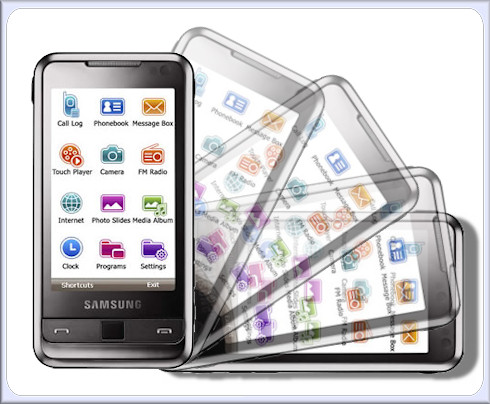
Windows Mobile on the iPhone – hacked

A Norwegian hacker seemed to have accomplished the impossible – finally making the iPhone a useful device. Using the long winters of his native country he managed to hack Windows Mobile, rather unwillingly, onto the iPhone, and, bootcamp like, is giving iPhone users a choice of booting into a more free OS.

He presented his research at the MyPhone2008.
(more…)

2 Comments

HTC Touch Diamond tweaks part 2

Show Weekday in TFL3D (thanks to pulp) - download and install http://rapidshare.com/files/127174792/weekday.cab Enable HSUPA: HKLM\Software\HTC\AdvancedNetwork\SupportHSUPA =change it to 1 Enable Audio Booster without headset-->HKLM/System/State/Hardware/Headset set the value to 1 (soft…

0 Comments

HTC Touch Pro GPS lag problems – fix

htc touch pro gps lag problems

A. With Advanced config 3.2 http://www.touchxperience.com/fr/out…ol-32-cab.html

1. disable A-GPS
2. disable GPS logging
3. logfile name must be empty
4. old logfile name must be empty
5. maximum size of logfile must be 0
6 delete the files : \windows\GPSLogFile.txt and \windows\GPSLogFileBack.txt

7. it seems that if TomTom is installed on a fast microSD decrease the lag(have to test to be sure)

With those changes car usage will be quite perfect

B. Then edit registry with TotalCommander http://ghisler.fileburst.com/ce/tcmdpocketarm.cab

Under: HKLM\SYSTEM\CurrentControlSet\GPS Intermediate Driver\

– Drivers\GpsOneDevice\PollInterval -> 100 (default is 1000)
– Drivers\InputBufferSize -> 512 (default is 4096)
– Drivers\OutputBufferSize -> 512 (default is 4096)
– Drivers\SleepOnNoData -> 100 (default is 1000)
– Multiplexer\MaxBufferSize -> 512 (by default not present, you have to create it)

Tests to be done with buffers at 256…seems to be a little better
Tests to be done with other PollInterval value…seems to “drain” battery

With those tweaks pedestrian usage will be much better but not perfect.
(more…)

2 Comments

Samsung Omnia with tilt sensor

samsung omnia tilt sensor

Spelomaniac over at Modaco.com has however managed to break this compatibility barrier by implementation atranslation layer which direct the accelerometer output from the Samsung Omnia through a fake HTCSensorSDK.dll, meaning many of the apps designed for the HTC Touch Diamond and Pro will also work on the Omnia (ignoring the differences in screen resolution and aspect ratio of course).

(more…)

0 Comments

How to: Free up some system memory

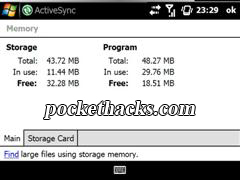
If You are a lucky guy to have one of the latest Windows Mobile powered devices (HTC DIamond, Touch Pro, TyTN II etc.) that comes with 128 or 256 MB RAM, this guide is for all other users with 64 MB RAM Pocket PC’s – some tips how-to free up system memory. (more…)

2 Comments

How to: ActiveSync connection via Bluetooth

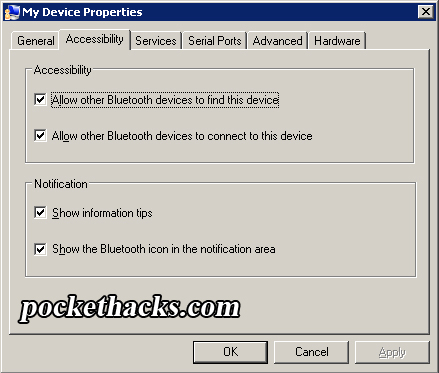
http://www.oldos-source.de/referenzen/activesync.pngHere I will show you how to setup ActiveSync connection (and internet sharing) via Bluetooth using Bluesoleil (software that comes with almost every Bluetooth dongle).

1. Install your Bluetooth adapter (and the Bluesoleil software), restart the computer.

2. Kill all ActiveSync system processes via Task Manager – wcescomm.exe and rapimgr.exe
(more…)

2 Comments

HTC Touch Pro Tweaks

Boost TFL3D Performance –> Using Advanced Config, change File system cache to 8mb and file system filter cache to 131072
Tested and works a treat. TF3D is sluggish and prone to long pauses before tweak, much faster afterwards

Boost TFL3D Performance –> HKLM\System\Storagemanager\Fatfs and change key Cachesize from 16384 to 32768
Much quicker than number 1 on it’s own, now stonkingly fast.

Wake Up on New SMS –> HKLM\Drivers\BuiltIn\RIL : DisableSMSWakeUpEvent <– set to “1” by default. Change value to “0”
The Raphael (and the diamond on 1.93) now ring and vibrate for incoming SMS, so this is not really necessary, but will turn the screen on if that’s what you want (I personally don’t).

Switch Mute Call on phone flipped face down: HKLM\Software\HTC\PHONE : FaceDownMuteRing: change value to “0”
Working correctly
(more…)

39 Comments