Read more about the article Windows Phone 7 Easy Backup Tool
Windows Phone Easy Backup Tool

Windows Phone 7 Easy Backup Tool

Windows Phone Easy Backup Tool
Windows Phone 7 Easy Backup Tool


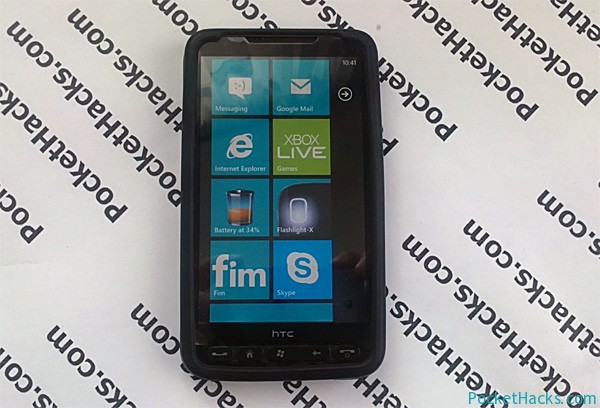
The WP7 Easy Backup Tool allows Windows Phone users to create and restore a backup on the easy way and without any hacking skills. The tools wraps the Windows Phone Support Tools to create or restore updates, that means backups and they are 100% compatible with Zune.

Successful tested on:

  • HTC HD7 (original HTC ROM)
  • HTC HD2 (Back to the Future ROM, xmb Rom 7740.16)
  • HTC 7 Mozart
  • HTC Arrive
  • HTC Titan
  • Samsung i917
  • Dell Venue Pro
  • Samsung Omnia 7 (I8700)
  • Nokia Lumia 800
  • Samsung Focus S

This tool requires .NET 3.5, Zune 4.8.2345.0 and Windows Phone Support Tools installed on your computer!

Note: WP7 Easy Backup Tool is still in development (beta), but there is already a stable version for everyday use.
(more…)

1 Comment
Read more about the article PressReader – read full content newspapers on your phone
PressReader

PressReader – read full content newspapers on your phone

PressReader
PressReader


PressReader is an invaluable tool that enables users to access the latest international and domestic news not on the traditional paper format but electronically! Cutting edge features such as SmartFlow provides readers with an engaging way to read newspapers while they’re at home or on the go!

PressReader currently provides readers with access to an always growing list of 2,100+ full-content newspapers from 95 countries in 54 different languages. And as you already know by full-content, I mean it provides every article, editorial, advertisement, classified, comic strip, etc. exactly as you would find it in print – only on the convenience of your favorite tablet or smartphone.


(more…)

0 Comments

File Browser 1.0 for Windows Phone


The best file browser for Windows Phone currently available! Its fast – the “Windows” folder opens for just a 4 seconds, you can install XAP files directly from your device, and the best stuff – now you can view the Storage Card folder which is the small FAT16 partition (or the other partition that you are created for booting Android) where can copy files in your PC and so files from this partition can be copied from File Browser to inside the Windows Phone Storage!


(more…)

2 Comments
Read more about the article Angry Birds Space for Windows Phone – Coming Soon!
Angry Birds Space for Windows Phone OS

Angry Birds Space for Windows Phone – Coming Soon!

Angry Birds Space for Windows Phone OS


Angry Birds Space just made its debut for various mobile devices and desktop computers a few days ago, but as we noted – Windows Phone OS was not in the list of the supported mobile platforms by Rovio. Later, the Finnish company said that due to the low market share of Windows Phone OS and various technical challenges, that’s why we didn’t see a version of Angry Birds Space for the Microsoft’s platform, which will certainly disappoint many users and of course – Microsoft and Nokia. But, just a few hours later, the position of Rovio has changed to 180 degrees and the boss, told Reuters, that they already working on a version of the game for Windows Phone!?
(more…)

0 Comments
Read more about the article Windows Phone Tango ROM released for HTC HD2
Windows Phone Tango ROM for HTC HD2

Windows Phone Tango ROM released for HTC HD2

Windows Phone Tango ROM for HTC HD2


Great news for all HD2 owners, after the UltraFruit ROM from DFT and Cotulla, here is another surprise – the first Windows Phone Tango ROMs for HTC HD2 now available! Even if the Tango update is not officially released yet, some devs already have it leaked and ported to our beloved HTC HD2!

The new Windows Phone Tango build 8773 ROMs are based on the UltraFruit ROM, so expect better battery life and performance.

Here is the stuff:
(more…)

1 Comment
Read more about the article Make the most of your Windows Phone device
Windows Phone 7

Make the most of your Windows Phone device

Windows Phone 7 devices
Windows Phone 7


Check out the latest tutorial videos from Microsoft and discover some new tips and tricks and learn more about your Windows Phone 7 device from the official video demonstrations – watch the many features that make your smartphone one-of-a-kind!

Watch the official Windows Phone YouTube Channel for the latest Windows Phone releases, a look at the lives connected with Windows Phone, and even some peeks at what’s to come!


Some of the most popular video tutorials:

  • Link inboxes on Windows Phone
  • Post pictures to Facebook on Windows Phone
  • Send a “Running late” message on Windows Phone
  • How to use the Windows Phone Web Marketplace
  • Record an audio note on Windows Phone
  • Voice-To-Text Feature on Windows Phone 7.5


(more…)

0 Comments
Read more about the article New version of the Facebook app for Windows Phone – now available!
Facebook 2.3 for Windows Phone

New version of the Facebook app for Windows Phone – now available!

Facebook 2.3 for Windows Phone devices
Facebook 2.3 for Windows Phone


The new version of the official Facebook app for Windows Phone – with better news feed performance and redesigned panorama and profile views – is available for download!

The official Facebook app for Windows Phone makes it easy and secure to stay connected and share information, photos and much more with your family and friends. You can post your status updates, receive Live Tile updates on your homescreen, check your latest news feed, review upcoming events, check in to places, manage your inbox, upload photos, publish notes, accept friend requests, pin Places and Messages as Tiles on the homescreen, and much more!
Hey, don’t forget about the Facebook Chat (of course) –  it’s built into the Messaging app on your Windows Phone 7.
(more…)

0 Comments
Read more about the article Orientation lock app for Windows Phone 7
Orientation Lock for Windows Phone 7

Orientation lock app for Windows Phone 7

Orientation Lock app for Windows Phone 7
Orientation Lock for Windows Phone 7


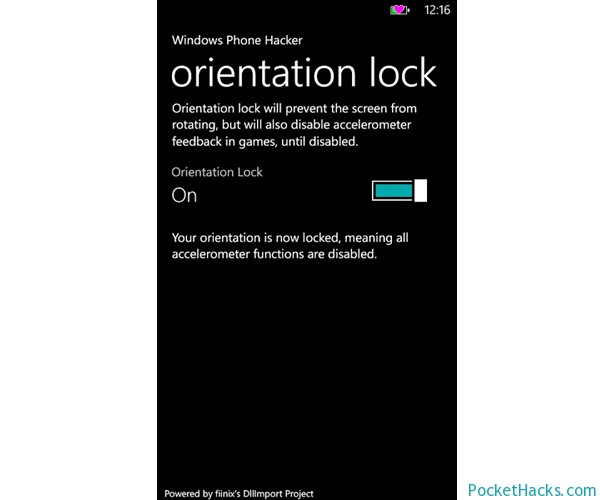
Here is the first orientation lock application for Windows Phone 7! Basically, it locks your device screen orientation (do you remember – this function was built-in on your old Windows Mobile phone :)) by setting the accelerometer to power state D4, then back to D0 to revive it.
This project is created using DllImport:

DllImportCaller.lib.StringIntIntCall(“coredll”, “SetDevicePower”, “ACC1:”, 1, (int)Phone.Network.WiFi.PowerState.D0);

The app is very simple and easy to use, it’s already tested on some devices like HTC HD7, Nokia Lumia 800, Samsung Focus and Omnia 7. Also, we tested it and it works perfect on the HTC HD2 with various Windows Phone 7.5 ROM’s.

Anyway, some  HTC devices detects the accelerometer sensor as active, even when it isn’t, to fix this you need to toggling the button back and forth to get it working.


(more…)

0 Comments