HTC HD2 with Windows Phone 7 is faster than HTC HD7
HTC HD2 vs. HTC HD7 speed test. But if we can get some details, the HD2 is faster because it's running the ROM with the new update, the same one…
2 Comments
February 19, 2011
HTC HD2 vs. HTC HD7 speed test. But if we can get some details, the HD2 is faster because it's running the ROM with the new update, the same one…

Energy WM6.5.x ROM collection for HTC HD2 Very fast startup time. You won't find any startup wizards in this ROMs. You'll be up and running in a couple minutes after…
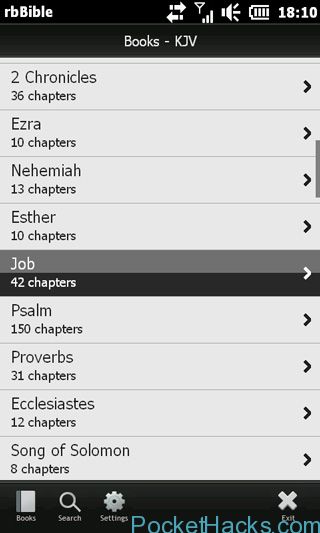
Finger friendly Bible app for Windows Mobile. Compatible Devices: Toshiba TG01, HTC HD2, TP2, Touch Diamond, SE Xperia X1 Supported Resolutions: WVGA Installation: Download the file (7.16 MB), this…
You will need Window Phone 7 on your device before doing this. You will also need 1 SD Card and 1 SD Card Reader. You will need an Android SD…
Now you can have Windows Phone 7 and Android on your HTC HD2 at the same time. You will have WP7 in NAND and run Android from the same sd…

Android 2.3 ROM for HTC HD2 and this is one of the fastest NAND ROMS. FEATURES: Deodexed and Zipaligned, not sqashfsed RMNET Multilanguage Rooted (SU app + SU binaries) AdFree…

If you already flashed your HTC HD2 with Windows Phone 7, seanyuan62 from XDA-Developers have some tricks for you 🙂
Here is the list:
Using the Windows Phone 7 voice controls:
Press and hold the Windows key at the bottom of your screen and you can start talking to your phone. Try saying “Open Calendar”, to see what we mean.
Adding apps to the Start screen:
When you are in the long applications list on your phone pressing on an icon and holding brings up a contextual menu that gives you a series of options, one of which is “pin to start”. Press on this option and the app will be shown on the Start screen.
Add people to the start page:
No it’s not just about adding apps to the start page, but people too. Find them in your contacts book, click on the “pin” icon, and they’ll be added to your Start page so you can speed dial them whenever you need.

All the apps provided below are freeware and works on HTC HD2. To install Apps your phone has to be unlocked using ChevronWP7.
Requirements:
1. DFT70 LEO (WP7 ROM) Installed
2. Zune
3. Windows Phone Toolkit
4. ChevronWP7 Unlocker
Instruction to Install XAP:
1 – Connect the Phone to Zune (And unlock it with ChevronWP7)
2 – Download desired app
3 – Uncompress it in a folder
4 – Go to Application Deployment (Available with Windows SDK)
(For Win 7 / Vista users, simply type Application Deployment in Search textbox in start and you will find the Application)
5 – Deploy the App to the Phone
App list:

HTC apps for HTC HD2 WP7, to install XAP you need: - Windows Phone 7 SDK - Chevron Unlocker and Tom XAP Installer Your HD2 is exactly like a WP7…