Read more about the article HTC HD2 Running Windows RT
HTC HD2 Running Windows RT

HTC HD2 Running Windows RT

HTC HD2 Running Windows RT


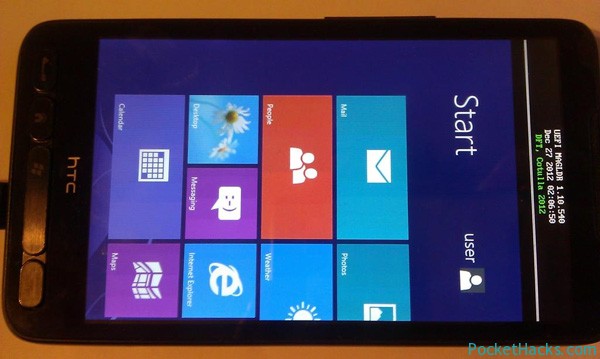
Again and again, the legend refuses to die! Here is the latest project from Cotulla and DFT – Windows RT running on the HTC HD2 (it seems to be a project, as we can see from the pictures)!

HTC HD2 Running Windows RT

Cotulla posted the photos on his Twitter account (twitter.com/CotullaCode) and as we can see from them, the phone is running Windows RT using the latest UEFI MAGLDR version 1.10.540 that is not available to the public. We have no information about the current progress and what’s working or not, it seems that the whole project is private and there is no any other information about it, anyway that’s just another peace of love to the best smartphone ever – HTC HD2!


(more…)

0 Comments
Read more about the article HTC HD2 DFT UltraFruit ROM –  Windows Phone 7.5 Mango, Build 7740
Windows Phone 7.5 UtraFruit ROM for HTC HD2

HTC HD2 DFT UltraFruit ROM – Windows Phone 7.5 Mango, Build 7740

Windows Phone 7.5 UtraFruit ROM for HTC HD2


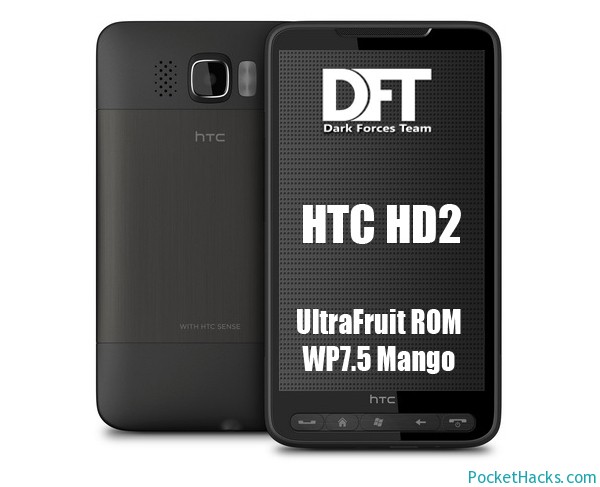
Here is the UtraFruit ROM from DFT/Cotulla – Windows Phone 7.5 Mango, Build 7740 for HTC HD2/LEO.

Included languages: ENG, GER, RUS, CHS, CHT.

The best thing about this UtraFruit ROM is the improved camera quality and the fixed power drain issue after every reboot.

Also, it’s fully unlocked, so you can install every apps that you want 🙂

Thank you DFT team (Cotulla, bepe, mwang, mamaich), HD2Owner, ultrashot and Julien Schapman.


(more…)

2 Comments

Working USB host for HTC HD2 with WM6.5

htc-hd2-usb-host

Here comes another great project from DFT and Cotulla – working USB host for HTC HD2!

This app contains drivers designed to allow you to connect different USB devices to HTC LEO (HTC HD2). Those drivers are designed for Windows Mobile 6.5 and they were successfully tested on 3.14 ROM (test it on your ROM).

Installation:

  1. Install CotullaCert.cab
  2. Install DFT_LEO_USBH_WM65.CAB
  3. Reset your device

How-to use it:

  1. Start USBH Switch from the Programs menu
  2. Press “Switch to Host” button
  3. Connect a host device
  4. After some time it should be detected
  5. You can try to use it now
  6. After usage you need to reset your phone to go back to the USB client mode

For using the USB host ability you will need a special cable or self-powered USB hub. More information can be found here

(more…)

0 Comments