Registry tweaker for Samsung Omnia II
This one is just a little .Net 3.5 program with the most useful tweaks for Samsung Omnia II i920. Tweaks info: -Low Memory sets: ResetDivision = 0 ProgramMem = 17…
0 Comments
March 3, 2010
Pocket PC Tweaks and tricks

This one is just a little .Net 3.5 program with the most useful tweaks for Samsung Omnia II i920. Tweaks info: -Low Memory sets: ResetDivision = 0 ProgramMem = 17…
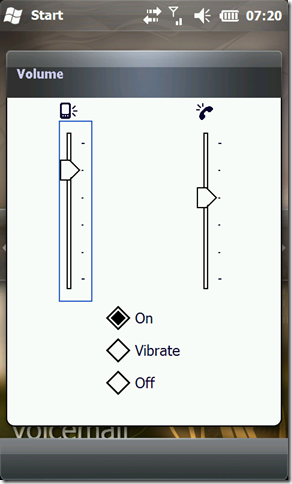
By default the ringtone volume of Windows Mobile are low as compared to the original volume i.e. if we listen to the ringtone on a pc or through music player…
Windows Mobile 6.5 has a "honeycomb" like layout for displaying items in the Start Menu as default. While some like it (I know I do), some don't, but we all…
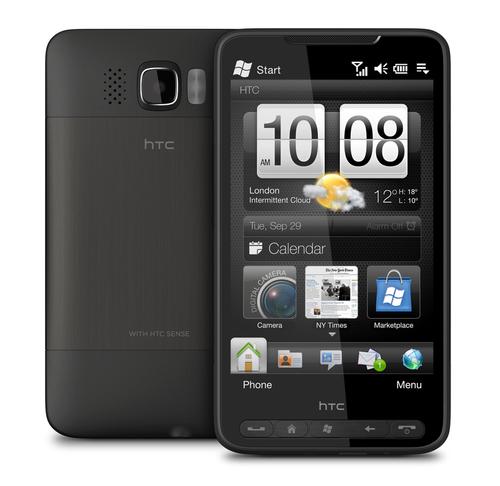
Complete list of tweaks and tricks for HTC HD2 (HTC Leo) from XDA-Developers.com Note for users new to Windows Mobile you will need a registry editor to find and edit…
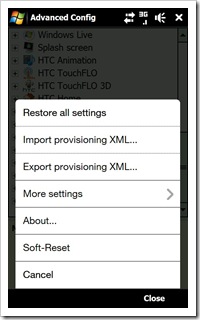
Just bought an Touch Pro 2 and ready to tweak its guts out? Tracyandmatt has put together a quick guide to safely tweaking to device to enable a lot of…
This tool allows to change the font of the device, it is possible to change the size and to import new fonts. Downlaod + info

1. Using the Back Key
You can use the actual back key at the bottom of your phone to go back a web page or two in Opera, instead of bringing up the Opera menu and selecting the back arrow.
2. Exiting Volume Screen
For quick exit of the volume screen, tap anywhere in the dark grey background surrounding the vertical slider button.
3. Reduce Errors in Typing
In Input options, disable the number of words to show in T9 for less mistakes when typing and thus faster entry.
4. Improve Photo Thumbnail Resolution in Photo Tab
Modify or tweak a photo (such as adjusting brightness) using a image editor directly on your HD (eg: Resco Photo Viewer) and save and overwrite the original. This makes the photo thumbnails on your Photo Touchflo 3D tab hi-res instead of low-res.
5. Change the Order of Photos in Fav Album
Modify or tweak a photo (such as adjusting brightness) using a image editor directly on your HD (eg: Resco Photo Viewer) in the order you want your photos to appear on your Photo Touchflo 3D tab, as they are displayed in order of last modified/created date. The first photo you modify will be the last to show in your Photo Touchflo 3D tab and vice-versa.
(more…)
You can download the whole package with instructions (includes shareware) from here: http://rapidshare.com/files/18609731...UI_Package.zip Additional application you might like: FingerMenu: http://forum.xda-developers.com/showthread.php?t=459125
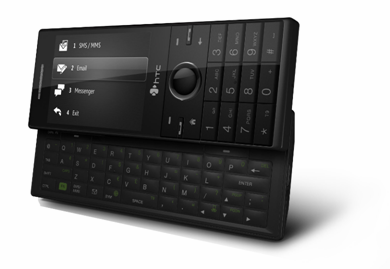
To disable threaded txt (1st thing I always do!) takes a reg edit: HKEY_CURRENT_USER\Software\Microsoft\Inbox\Settings\OEM\ Under the registry key, create a new DWORD value with value name as SMSInboxThreadingDisabled and set…