HTC Wildfire S hands-on at MWC 2011
HTC Wildfire S has a 3.2-inch screen and higher resolution than its predecessor (320 x 480). The super LCD display is definitely an improvement over the original one and everything…
HTC Flyer tablet was introduced yesterday at Mobile World Congress, and today we have the official price information - Amazon Germany has revealed a 670 euro price or $900. Also,…
HTC definitely surprised us at MWC 2011 with the news that the Flyer tablet will be updated to Android 3.0, but no less surprising was the Scribe technology, which allows…
HTC Desire S was one of the new phones that pops up at MWC 2011, this is another great smartphone powered by Android OS with 1 GHz CPU and 768…
According to the Financial Times, HTC also works on a social phone, which will be organized around the portal services and even has a dedicated button for direct access to…

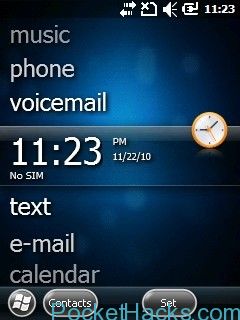
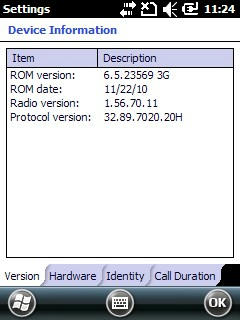
This is the latest WM6.5 ROM for HTC Trinity P3600, build 23504, supports 3G Video Calling & Smart Dialing!
ROM INFO:
Titanium Build with Home Screen Customizer that allows a weather panel.
Includes the new Mail App with Conversation View.
Includes the new Contacts App.
Free RAM:
23.02MB
Free Storage
47.01MB
New phone is appeared in a short video clip on HTC's official YouTube channel. The smartphone in this video seems to looks like HTC Wildfire (at least for the hardware).…
If you already flashed your HTC HD2 with Windows Phone 7, seanyuan62 from XDA-Developers have some tricks for you 🙂
Here is the list:
Using the Windows Phone 7 voice controls:
Press and hold the Windows key at the bottom of your screen and you can start talking to your phone. Try saying “Open Calendar”, to see what we mean.
Adding apps to the Start screen:
When you are in the long applications list on your phone pressing on an icon and holding brings up a contextual menu that gives you a series of options, one of which is “pin to start”. Press on this option and the app will be shown on the Start screen.
Add people to the start page:
No it’s not just about adding apps to the start page, but people too. Find them in your contacts book, click on the “pin” icon, and they’ll be added to your Start page so you can speed dial them whenever you need.
Native Russian keyboard for Windows Phone 7 devices: Use it on your own risk. In case of a problem, you might need to hard-reset your smartphone. Your smartphone must be…