Kinoma has just released a new media player, Kinoma Play which they say promises to unify media on your smartphone and on the internet in a seamless whole, making it the first true mobile media browser.
Apparently the result of 3 years of effort, the software promises simplicity in media organization and playback, but the jewel of their creation is the built-in Kinoma Guide, the most comprehensive catalog of the freshest, most diverse mobile media available.
Kinoma Play provides on-demand access from your phone to an unparalleled range of content:
- Media files – Play the music, video, pictures, panoramas and audio books on your phone
- Media services – Share your Audible.com, Flickr, iDisk, Live365, and YouTube accounts between your phone and computer
- Internet – Explore a terabyte of constantly updated, free streaming podcasts, music, radio stations, web-cams and audio books from thousands of providers including ClearChannel, CNN, NPR, Reuters, SHOUTcast, TUNED.mobi, and SomaFM
- Home PC – Access the gigabytes of music, video and pictures on your home PC from your phone – both on-demand streaming and download, using the Orb service.
“We created Kinoma Play to make it fun and easy for people to discover all the great media their phones can play,” said Peter Hoddie, co-founder and CEO of Kinoma. “By combining media playback and browsing, Kinoma Play frees users to explore an unprecedented range of media content.”
Among the key innovations in Kinoma Play:
- Streaming podcasts – Instead of tediously downloading and syncing, podcasts stream on-demand, so users are always up to date
- “Media First” user interface – User interface elements all-but-disappear when viewing photos, listening to music, or watching video to keep the focus on the media
- High quality YouTube – Kinoma Play provides high quality YouTube video by playing the same feeds delivered to your PC, when bandwidth permits
- Integrated search – Search your phone, your home PC and the Internet to find what you want
- Menu Pod – A beautifully animated dynamic menu providing fast access to many powerful features
“Kinoma Play offers the first streaming mobile access to your Audible.com account, so whether you want to listen to books you already purchased or are buying new ones, you get instant gratification — they are available immediately on your phone without connecting to your PC,” said Will Lopes, VP, Business Development, Audible.com.
Pricing & Availability
Kinoma Play is available at the Kinoma web site (www.kinoma.com) for a one-time payment of $29.99. The software is compatible with Windows Mobile 5.0 and higher.
Kinoma is also introducing Kinoma FreePlay as a free download. Kinoma FreePlay shares the same gorgeous user interface and simplicity of use with Kinoma Play. It is a great MP3 player and photo viewer and provides access to much of the Kinoma Guide including Audible.com, Flickr, Live365, Reuters, SHOUTcast, YouTube, and thousands of streaming podcasts.
Kinoma has produced some slick videos that illustrate the features of the software. See them after the break.
(more…)

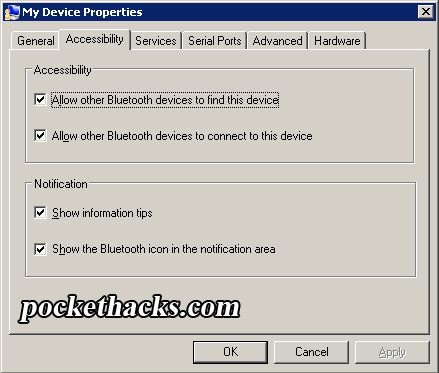
 Here I will show you how to setup ActiveSync connection (and internet sharing) via Bluetooth using Bluesoleil (software that comes with almost every Bluetooth dongle).