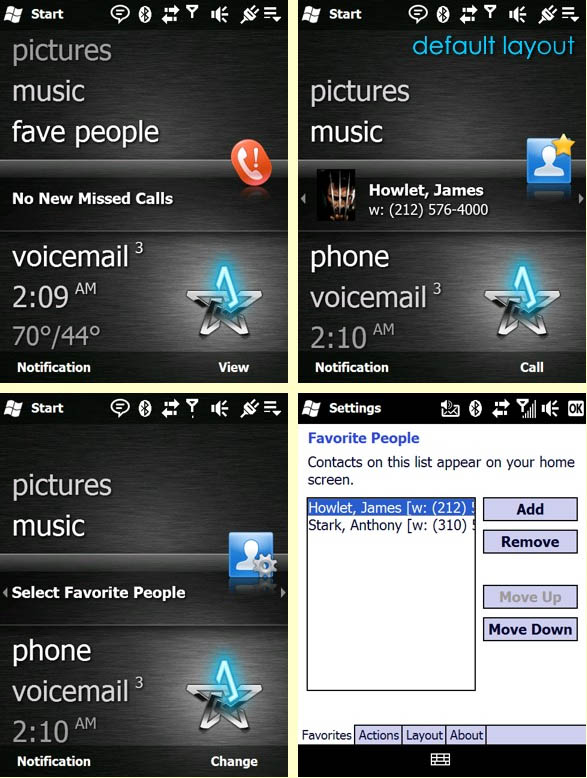
This plug-in allows you to add your favorite contacts to the WM 6.5 CHome (aka Titanium) homescreen.
Supports VGA, WVGA, QVGA, WQVGA, and QVGA Square.
Install:
1. Install the .Net Compact Framework 2.0 or higher if you don’t already have it. (It’s required but most cooked roms have it)
2. Install the attached ATContacts v0.98.CAB to Device
3. Enjoy easy access to all your favorite peeps!
Usage:
Tap the “Select Favorite People” panel to add a contact and a phone number of your choice.
Tap the contact panel to view the contact card.
Tap the “Call” softkey to initiate a phone call to the stored number.