Boost TFL3D Performance –> Using Advanced Config, change File system cache to 8mb and file system filter cache to 131072
Tested and works a treat. TF3D is sluggish and prone to long pauses before tweak, much faster afterwards
Boost TFL3D Performance –> HKLM\System\Storagemanager\Fatfs and change key Cachesize from 16384 to 32768
Much quicker than number 1 on it’s own, now stonkingly fast.
Wake Up on New SMS –> HKLM\Drivers\BuiltIn\RIL : DisableSMSWakeUpEvent <– set to “1” by default. Change value to “0”
The Raphael (and the diamond on 1.93) now ring and vibrate for incoming SMS, so this is not really necessary, but will turn the screen on if that’s what you want (I personally don’t).
Switch Mute Call on phone flipped face down: HKLM\Software\HTC\PHONE : FaceDownMuteRing: change value to “0”
Working correctly
Boost TFL3D Scrolling Speed –> – HKLM\SYSTEM\GDI\GLYPHCACHE\limit = 16384 or 32768 (DWORD decimal)
– To change it back to the default: – HKLM\SYSTEM\GDI\GLYPHCACHE\limit = 8192 (DWORD decimal)
Did this using schaps advanced config and it does not seem to make any difference whatsoever.
Prevent screen switching off during phone call –> HKEY_Local_Machine\Drivers\BuiltIn\RIL\EnableFastD ormantDisplayDuringCall to 0 (Note: does not work on all ROMs) Doesn’t work
AND (tested and works on EU ROMs thanks to Rod65)
HKCU\ControlPanel\Phone\Sleep switch value from 1 to 0 Doesn’t work
These failed to work individually and also when applied as a pair. No use on this Raphael ROM.
HKLM\Drivers\BuiltIn\RIL\FastDormancyRule=0 doesn’t work either.
Set HTC Album X button to close not minimize: ok_minimize change value to 0
Not needed any more. When task manager is set to close programs with the x button, album shuts correctly. Youtube on the other hand, doesn’t.
Disable Enlarged Title bar (when you click on a notification) to the default WM behavior: HKLM->Software->HTC->EnlargeTitleBar – and change “Enable” from 1 to 0.
Not needed any more. Start>settings>system>touchflo. Untick Show system status screen when status icons are tapped
Turn off startup aninmation and sound: HKEY_Local_Machine\Software\HTC\HTCAnimation\ -> rename both “StartupGif” and “StartupWav” to other names
Works, but does not speed up boot time.
Enable GPS photo: HKEY_LOCAL_MACHINE\SOFTWARE\HTC\Camera\P10 -> change the value “enabled” from 0 to 1
Works
Another supposed TFL3D tweak for better performance: HKLM\Software\OEM\TFLOSettings:
SpeedHigh: default value (25) <– Change to (5) / SpeedLow : default value (70) <– Chnge to (14) save and soft reset
No difference that I noticed, but no adverse affects either.
Adjust screen sensitivity: HKEY_LOCAL_MACHINE\Drivers\TouchPanel
Value = PressureThreshold
Change from the default dword:00000027 or 34 to dword:000000f0 or 240 in decimal
Works fine. Can also be done in Schaps advanced config.
More Camera Modes:
To Enable ‘Burst’: HKEY_LOCAL_MACHINE\SOFTWARE\HTC\Camera\P6 -> change the value “enabled” from 0 to 1
Works. Keep button pressed down to take more pictures
To Enable ‘Sport’: HKEY_LOCAL_MACHINE\SOFTWARE\HTC\Camera\P8 -> change the value “enabled” from 0 to 1
Works. Takes 5 pictures in quick succession
To Enable ‘Video Share’: HKEY_LOCAL_MACHINE\SOFTWARE\HTC\Camera\P9 -> change the value “enabled” from 0 to 1
Works
Enable HSUPA:
HKLM\Software\HTC\AdvancedNetwork\SupportHSUPA =change it to 1
Already enabled, so no need for this.
Remove orphan icons and shortcuts – http://forum.xda-developers.com/show…97&postcount=3
Erm, why not just delete them in File explorer for F***s sake??
Four icons in a row in WM Programs/Settings screens – http://forum.xda-developers.com/show…4&postcount=16
Works a treat and looks pretty good too!
Remove Vertical and Horizontal Scrollbars
For the horizontal (bottom) scrollbar:
HKLM\System\GWE\cyHScr = 0 (DWORD decimal)
For the vertical (right) scrollbar:
HKLM\System\GWE\cxVScr = 0 (DWORD decimal)
Slight graphical distortion at the edge of the screen, but they are gone.
Disable SMS Conversation in WM 6.X
In Registry Editor: Create a folder named “OEM” in “HKEY_CURRENT_USER\Software\Microsoft\Inbox\Se ttin gs”
In the new “OEM” folder, make a new DWORD key called “SMSInboxThreadingDisabled” and give it a value of “1”
OEM folder already exists, and adding the key to this folder works a treat, although any messages already in the system are lost. Back them up using something like PIM backup first.
Author: rhedgehog

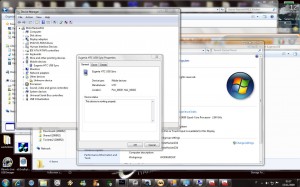
No.@ – the “stnkingly fast” improvement for TF3D….I get to FATFS and then what do I do? I see under FATFS two more folders named ENCFilt and HTCSFILTER. Do I create a new key or something?
Meant to start No.2 not No.@
Guys!! im new to this stuff….these changes can be made by changing the registry values, but how on earth do i do it? could you pls provide me with instructions…i cant find a reg edit on my fone. im using htc touch pro
Hi, here is a registry editor, just install it on your Touch Pro and make the changes:
http://www.phm.lu/products/PocketPC/RegEdit/
a good and free register editor is this one:
http://julien.schapman.free.fr/touchxperience/registry-editor.php
Boost TFL3D Performance –> Using Advanced Config
Wtf is advanced config?
More details on Advanced Config as well as a download link here:
http://www.isyougeekedup.com/htc-touch-pro-speed-hacks-and-tweaks/
http://www.touchxperience.com/en/advanced-configuration-tool/downloads.html
Pingback: HTC Fuze Registry Hacks Galore | Mobility Site
I installed the Advanced Config cab as well as NET Framework 3.5, but get an error when I try to launch AdvancedConfig. The error test is as follows:
AdvancedConfig.exe
Exception
at
Microsoft.AGL.Common.MISC.HandleAr()
at
System.Windows.Forms.ImageList..ctor()
at AdvancedConfig.
After that, there are square characters and it repeats 3x.
Anyone else have this issue?
Will these work on the HTC Fuze?
Does anybody know what is the default value for HKLM\System\GWE\cxHScr
I accidentaly changed it instead of changing HKLM\System\GWE\cyHScr = 0
thanks in advance.
Does anybody have the default values for
HKLM\System\GWE\cxHScr
HKLM\System\GWE\cyHScr
HKLM\System\GWE\cxVScr
Please help thank you.
Unbelievable amount of bloatware from AT&T and no way to get rid of it other than the hard reset process. This is just silly, why can’t I just uninstall the demo version of Ms PacMan if I don’t want it?
Urrrgh.
What exactly does the GPS photo do? or is suppose to do?
Completely new to Touch Pro…
How to Access Registry on HTC Touch Pro?
gps photo- all it does is mark where you take a photo. It saves the location via gps and you can look and see where you took them here is a link
http://oreilly.com/pub/a/mac/2004/06/15/gps_photo.html
when i launch the advanced config i get an erro that says: unable to find settings file.
Can someone please help me with this problem thatnks
does anyone know why i cannot use the device lock on the flo3d screen?
i feel so ignorant to all of this, can someone just do it all for me? did get the registry editor tho, i always wondered what the ‘hkey’ wss all about. thx for the grear info
GPSPhoto Hack does NOT work on Verizon VX6850 even with the |||Bored||| GPS hack that unlocks GPS on verizon device. The photos are taken and the phone believes it has a GPS lock but it does not actually save anything but 0’s to the GPS information the EXIF headers. The only thing in the GPS section that is not ZEROs is the GPS time. I have tried multiple custom roms but not been able to make this work on the Verzion device.
Prevent screen switching off during phone call
HKEY_CURRENT_USER\ControlPanel\BackLight:LightSensorToScreenOff
default is 5 = 5 seconds
I used Ceregeditor to fix this.
http://ceregeditor.mdsoft.pl/
I’ve set mine to 60 seconds. This will give me enough time to navigate through voicemail without the screen goes off.
I tried to download both free registry edit programs and get and .xml file and 2 others how do I get it to install on the phone? im really new at this did get the .net thing installed.
thanks for putting this together – very useful.
In response to the error “unable to find settings folder” just extract the advanced config to your memory card. This worked for me
Hi Folks. Does anyone know the registry keys for these?
Thanks for any help.
THESE ARE SET IN THE DIAMOND TWEAK APP, But I want to script them.
1.6 Ringtone = Vibrate and Ring
1.7 Ring Time = Without Delay
2.2 Wake Up on New SMS = Enabled
2.3 Message Display = Classic
3.3 100 db Sound Limitation = Disabled
3.4 Increase Sound = High
15.1 X Button in HTC Album = Turn Program Off
THESE ARE OTHER TWEAKS I WANT TO SCRIPT.
Set Buttons PTT Button to Voice Recorder
T9 Settings
Disable WordCompletion
Disable Auto Correct
Change Power Settings:
On Battery:
Turn Off Backlight if device in not used for = 1 minute
Turn Off device if not used for = 5 minutes
On External Power:
Turn Off Backlight if device in not used for = 10 minutes
Turn Off device if not used for = disable
CHANGE Lef Soft Key in TITANIUM
\\Windows\Start Menu\Programs\Calculator.lnk
CAMERA SETTINGS:
Change the White Balance of from Auto and put it to the light bulb.
do anybody know how to use the insturctions to the pocket hacker regarding htc fuze
Does anybody know how to increase the time the slide out keyboard backlight stays on. I have an Alltel Touch Pro. Thanks
I changed my phone number, on my alltel HTC touch pro where do I go on the phone to change the number from my old one to my new one?
Its flashed to use cricket, it had been working until I changed my number.
Disable SMS Conversation in WM 6.X – Can be done using Advanced config – Under messages!
Another supposed TFL3D tweak for better performance: – This is basically slow and fast scroll speed…check Advanced config!
First of all…thanks a ton! Awesome job in combining all this together.. it will b nice if u keep it updated!
does anyone know how to enable a sound when you open up the phone. i had the idea of having the tranformers sound go off when i slide open the phone
http://mphonenews.com/ – Mobile Phone news blog
Just completed the two speed hacks and all i have to say is WOW. It is an completely different device now.
I attempt to increase the speed by changing values in the registry. However, I get access denied. Does any one know how to grat access to these registry keys.
I can’t find HKLM? sux being a noob
HKLM is normal shorthand for HKEY_LOCAL_MACHINE
HKCU in HKEY_CURRENT_USER
etc.
Thanx
I appreciate the work that you have put in, in this page. Really good, also I wish to quote a few lines from this article in my site, I will give a link back to this article. Again.. it is really a good work.
S2U2 sucks my battery dry in no time flat, too bad… also if you use S2U2, lot of people say the new one doesnt kill battery but i beg to differ. i used it couple of days. went HALF THE DAY and battery died! took it off instantly and used the 6.5 smart lock. and fulll day im at 65 with moderate use. i have no push internet on and i have my email checked every 2 hours. hope that helped.