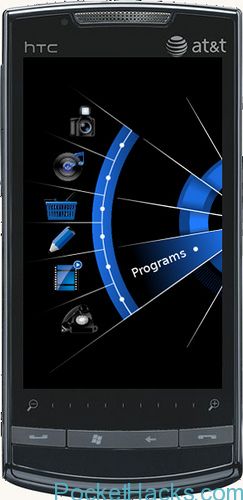
Else phone theme for Windows Mobile
Another amazing theme for Windows Mobile phones, you need Throttle Launcher and WVGA/QVGA device. You can configure which applications you want the phone page buttons to launch. You can configure…
SleepSense for Windows Mobile detects your movements during the night by using your phone's accelerometer. It keeps track of all the different phases of your sleep and attempts to wake…
JWMD Icon Changer is a Start Menu customization tool designed for Windows Mobile 6.5 Features: - Changing/Removing the Icon - Can create New Folder - Saving/Loading Themes - Sorting Start…
This video is how-to guide to flash WP7 to your HTC HD2. NOTE: DO NOT FLASH THE ROM INCLUDED WITH THE WP7 ROM IF YOU HAVE A USA / T-MOBILE…
How to use it: At the top of the window is a drop-down list of messages. Choose one or type in your own. Press Start. That's it. It'll send that…
Get some WP7 look on your Windows Mobile device with this amazing theme for Resco Explorer 2010 from LeSScro. Supported resolutions: QVGA, VGA, WVGA Download
Do you like the cool looking theme of Windows 7? Here's the good news, now you can have Windows 7 theme in your Windows Mobile phone. Presented to you here…
LG KS20 WM6.5.5 custom ROM, Build 23563, multi language! Memory info: Storage: total 159,68M Free around 156M Program: total 90.88 in use around 48M, Free RAM around 43-44MB Programs and…
Do you have Windows Mobile 5 or 6 phone? If you have one and thinks that it’s already an outdated device, get your words back now and take a look at this post 🙂 Windows Mobile is amazing mobile OS, full of apps, games and tweaks, you can do what you want on your phone, but it’s officially dead OS and it was replaced by Windows Phone 7, which is completely different platform. Now, since is only “officially dead” doesn’t mean that this is the end, not of course, all you need is some fresh ROM for your device and the latest apps!
Let’s “pimp your phone” – first, take a look at our WM6.5 ROMS section and search for the latest custom ROM that is ported for your device, read the instructions and flash it, if there is no WM6.5 for you, don’t worry, just search over the XDA-Developers forum. Anyway, you can use the latest Windows Mobile apps on almost every OS version and device.