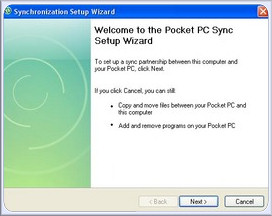

It is a registry hack for your desktop that will permanently stop it from asking your phone from partnering ever after.
- Open Registry Editor (as an administrator)
- Navigate to HKEYLOCALMACHINE\Software\Microsoft\Windows CE Services
- Create a new DWORD value called GuestOnly
- Set its value to 1
Now when you connect up, the Setup Wizard won’t appear. To undo it, simple change the value to 0.
Original source: wmpoweruser.com

now I’ll stay tuned..
Mine: tube
I have to agree and found this very interesting 🙂